3D to Video in 100 seconds.
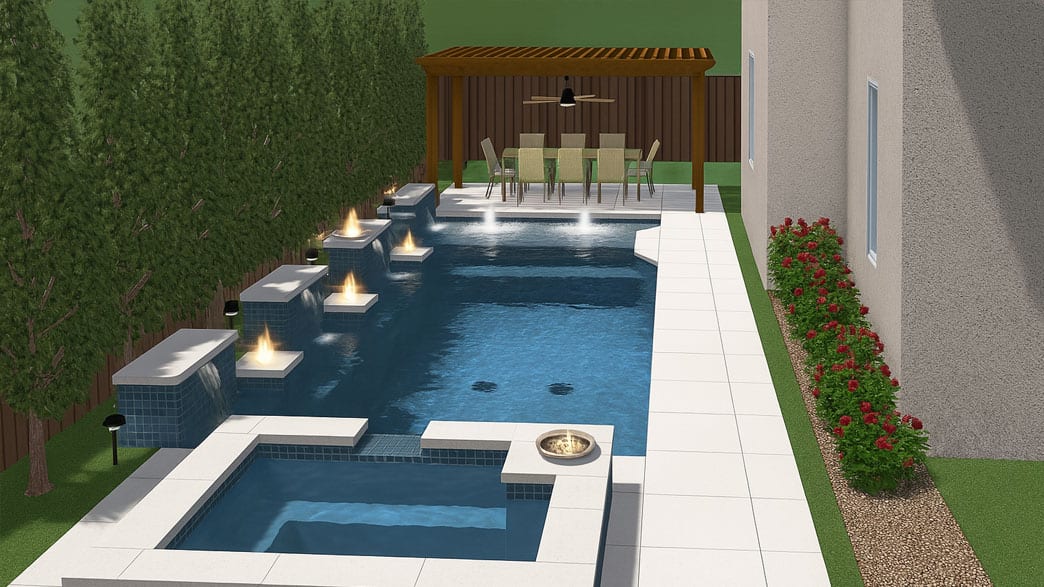
Upload the renders your design software already made, add a flythrough or a 2D plan
if you have one, and RenderSplash turns them into a video
the homeowner watches at the kitchen table.
No card required3 free drafts and one 720p video every monthWorks with any design software
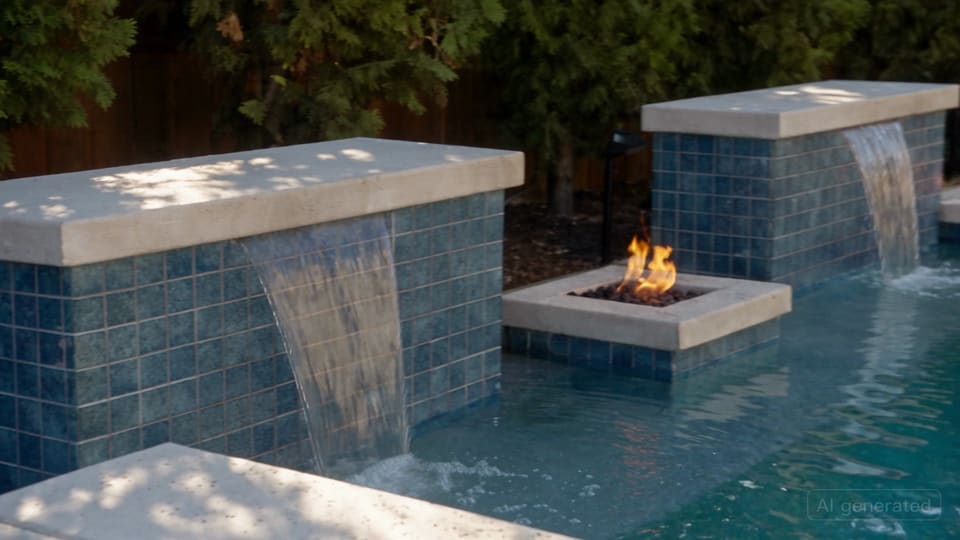
Bring your pool to life.
How a render becomes a closing tool
Upload what you already have
Add the renders your design software exported, plus a flythrough or 2D plan if you have them.
What you can upload
Add the real yard (optional)
We film the design you already drew and priced, not a backyard invented from a text prompt. Add real photos of the yard if you have them.
We direct and film it
Every camera angle in the finished video comes from a render you uploaded, cut together into one clip.
How it worksFix anything you don't like
Swap a render, pick a different look, or run another draft, each for half the credits of a finished video, before you commit to the finished one.
Fixing a videoShow the homeowner and close
Play it on your phone at the kitchen table, or send a link they can open without an account, no download required.
See what a finished video looks like
What you can upload
Real formats, real limits. This is exactly what the product accepts today.
- Design rendersrequired
- Formats
- JPG, PNG or WebP
- Limits
- 1 to 12 files, 25 MB each
Every shot in the finished video is drawn from one of these. More angles give us more to work with.
- Real yard photosoptional
- Formats
- JPG, PNG or WebP
- Limits
- Share the same 12-file limit as your renders, 25 MB each
Add photos of the actual property if you have them, alongside your renders.
- Flythrough videooptional
- Formats
- MP4, MOV or WebM
- Limits
- 1 file, up to 500 MB
We read frames from it in playing order, so the finished camera moves the way yours already does.
- 2D planoptional
- Formats
- PNG, JPG, PDF or DXF
- Limits
- 1 file, up to 50 MB
Gives us the layout, even from a flat drawing, so room shapes and sightlines come out right.
Works with your software
Export a still, a flythrough or a plan from whatever you already use. We take it from there.
- Pool Studio
- Vip3D
- SketchUp
- Lumion
- Vectorworks Landmark
- Structure Studios
- Chief Architect
- Twinmotion
- Blender
Not listed? Export any image, PDF or plan and upload it. We work from what you already have, not from a specific tool.
See every supported formatBuilt for four trades
Same product, different job on the line.
See the films
Real jobs, filmed from the renders the builder already had.
Pricing
The free tier leads: three drafts and one finished video a month, no card.
Free
$0
Try it on a real job before you decide.
- 3 drafts + 1 free 720p output
- Up to 720p output
- 1 seat included
Starter
$50/mo/mo
Or $41.67/mo billed yearly, save $100 a year.
For the builder closing their own jobs.
- 100 credits/mo
- Up to 4K output
- 1 seat included · $20 a month per extra seat
Pro
$149/mo/mo
Or $124.17/mo billed yearly, save $298 a year.
Your name on every video the homeowner shares.
- 350 credits/mo
- Up to 4K output
- Your name on every video
- 3 seats included · $20 a month per extra seat
Pay for a year and get two months free.
| Quality | Resolution | Credits | Price | Note |
|---|---|---|---|---|
| Draft | 360p | 5 | $4 | Watermarked. For checking a camera move before you pay for a finished one. |
| HD | 720p | 10 | $8 | What you play at the kitchen table. |
| Full HD | 1080p | 20 | $16 | For a big screen, or a TV in the showroom. |
| 4K | 4K | 30 | $24 | For your website or a trade show loop. |
Founding builders
We are opening RenderSplash to the first builders who will use it on a real job, not a demo. Sign up while a spot is open.
The first 20 accounts keep today's Starter and Pro pricing for as long as the subscription stays active, even after the price goes up for everyone after them.
Nobody has claimed a spot yet. Be one of the first 20.
Questions builders ask before signing up
Do I need to shoot new photos or video?
No. Your existing 3D design renders are the input, even a plain screenshot from your design software. Real photos of the yard help but are optional.
What if my design software only exports a PDF?
A PDF or 2D plan works. It will not carry as much camera detail as a render, but the plan tells us the layout, and you can add renders alongside it whenever you have them.
How long does it take?
Most videos are ready in about 2 to 4 minutes. A draft is fastest; a 4K finish takes longer.
How real does it look?
It keeps your design's camera angles and geometry and adds the water, light and materials that make a render read as a photograph, not an illustration.
Can I show it to a client without them making an account?
Yes. Every video gets a share link a homeowner can open and watch with no account.
Can I put my company's name on the video?
On Pro, yes. Your name on every video the homeowner shares.
What happens if I run out of credits?
Top up at $0.80/credit, less per credit when you buy more at once. Credit you buy never expires. The credits included with a plan reset at the start of each billing period.
Is this actually free to try?
Yes. Three drafts and one finished 720p video a month, no card required, for as long as you stay on the free plan.